

For many sales teams, outbound prospecting involves hours of manual research before the first email is ever sent. Sales Reps have to identify the right companies and find the right contacts there. Then they should learn more about these contacts to be able to send personalized emails. Thus, they have less time to speak with potential customers.
HubSpot's Prospecting Agent can help reps automate most of this work. It helps identify Companies and Contacts and generate personalized outreach while sales teams can still stay in control of the sales process.
This article focuses on the latest Prospecting Agent (Sept 2026). Depending on your HubSpot subscription and account, some of these features might be unavailable.
What is HubSpot Prospecting Agent?
HubSpot Prospecting Agent is an AI-powered sales agent that helps sales teams identify potential buyers, research prospects, and automate personalized outreach. The Agent can continuously identify new opportunities and prepare outreach with minimal manual effort.
The agent researches each contact and their company and prepares personalized outreach emails ready to be sent. You can decide if you want to review the emails created by the Agent or configure it so that the emails are sent without user's approvals.
It can be very useful for businesses that handle a high volume of outbound prospecting. Prospecting Agent helps sales teams maintain consistent follow-up and saves their time for other sales work.
Use Cases for HubSpot Prospecting Agent
Your team can utilize Prospecting Agent in various cases. It is based on how your team qualifies and manages leads. However, we can describe several common scenarios where the agent can help automate prospect research and outreach.
Send emails to "warm" Marketing Qualified Leads
When a Lead becomes a Marketing Qualified Lead in HubSpot, you can enroll these contacts into Prospecting Agent (it can be done automatically via HubSpot Workflows). The Agent will create emails and send it on behalf of the users (usually - from Deal Owner or Contact Owner in HubSpot).
Send emails to companies shown Buying Signals
Users can enable Source contacts for me feature, so that Prospecting Agent can automatically monitor companies for the buying signals. For example, website visits, email opens, and more. When a company matches those signals, the agent can identify relevant contacts, create personalized emails based on your historical conversations and send it from Contact owner's email.
Send emails to High-Intent Prospects
For HubSpot accounts with configured lead scoring or Buyer Intent (for Companies), Prospecting Agent can automatically start outreach contacts once they reach the score number. For example, after a Contact reaches 50 in Engagement Score (after watching your company's website, clicking on URL in emails, opening documents, etc.), the AI agent will be triggered to start its work.
Re-engaging Existing Contacts
You can use Prospecting Agent to reconnect with contacts who haven't engaged with your business for some time. It can also be set up to communciate with contacts associated with Closed Lost Deals in 3 months (for instance) after a Deal was lost. Rather than sending a generic follow-up message for everybody, like you can use in Sequences, Prospecting Agent will create a personalized message based on historical interaction with this contact.
How to Set Up Prospecting Agent
To start the setup, navigate to Sales > Prospecting Agent and click Create Play.
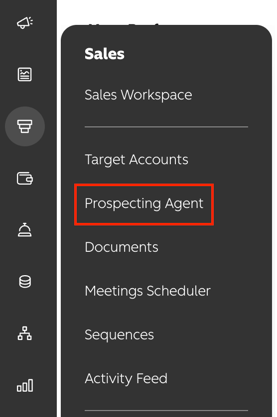
Step 1. Define Your Audience
The first step is defining who the play should target. If you enable Source contacts for me, Prospecting Agent will monitor your selected company segments and Buying Signals to recommend companies for enrollment. It will also suggest relevant contacts that match your target personas. To do this, configure:
-
- Company segments – Select the types of companies you want to target.
- Personas – Define the buyer personas the agent should look for.
- Monthly contact suggestions – Set how many contacts the agent can suggest each month.
- Buying signals – Choose which signals the agent should monitor when identifying prospects.
Note: To source contacts outside your HubSpot CRM, you'll need to connect a supported contact data provider.
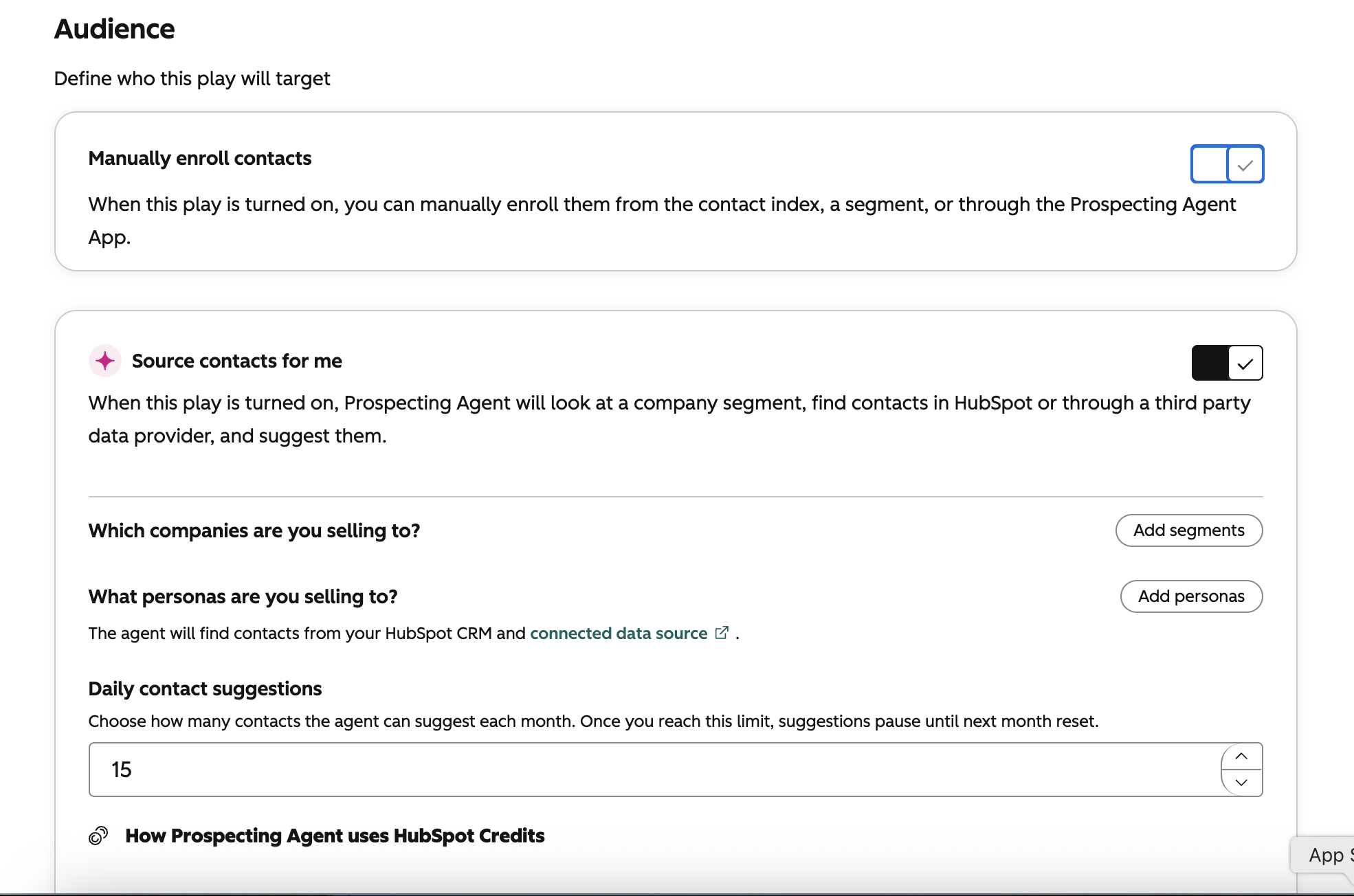
If you leave Source contacts for me disabled, you can still enroll contacts manually or automatically after the play has been created.
Step 2. Configure the Selling Context
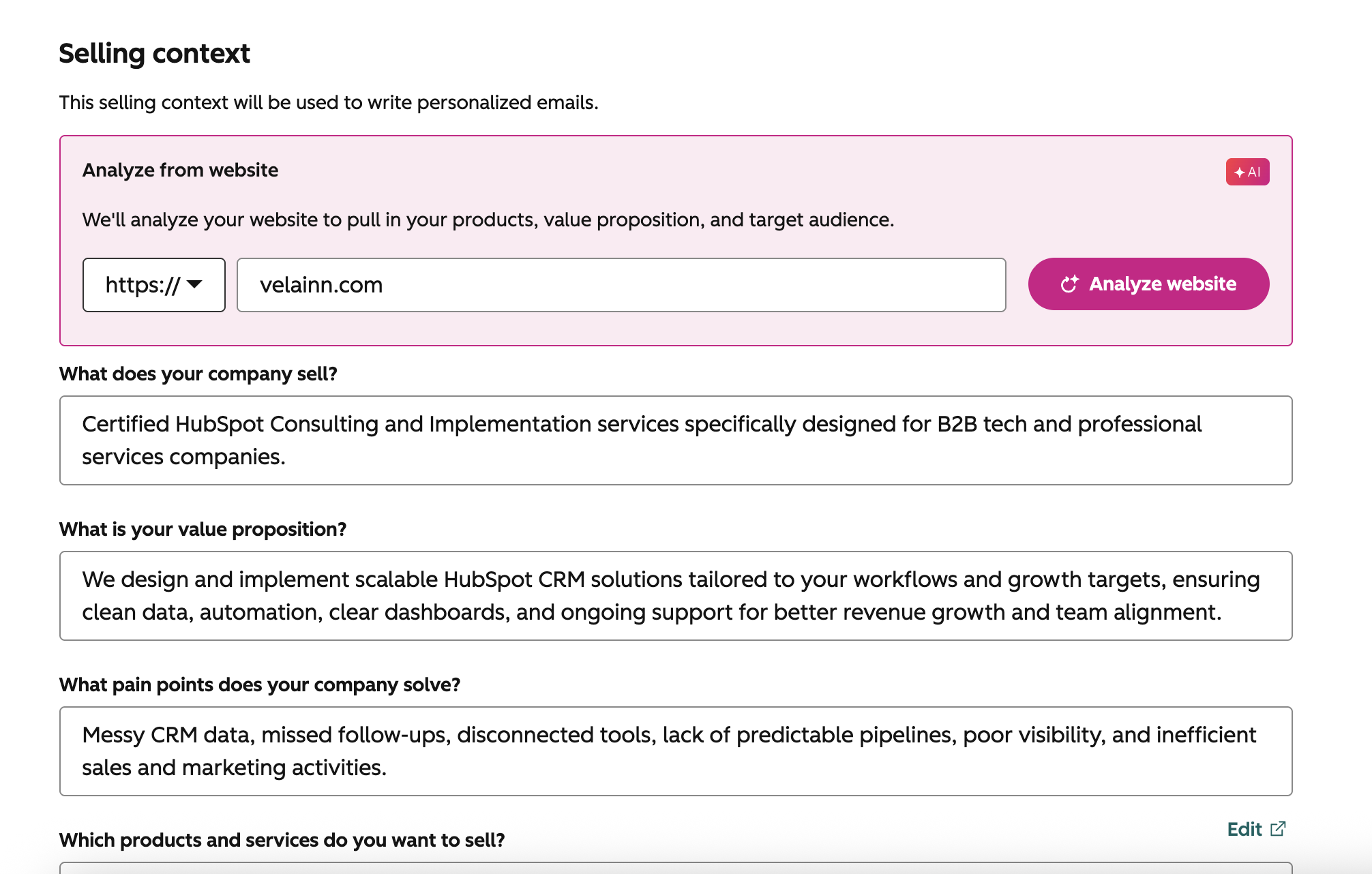
The Selling context helps Prospecting Agent understand your business and generate more relevant outreach. You can let Breeze analyze your website to generate this information automatically.
Review the generated content and make any necessary changes before continuing. Make sure the descriptions accurately reflect your business, as they'll be used when creating personalized emails.
Step 3. Configure Your Outreach
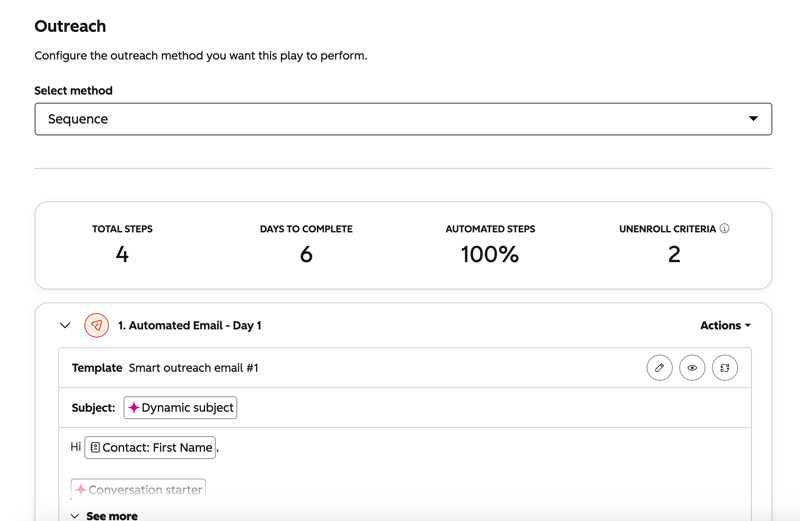
Choose how Prospecting Agent should reach out to your prospects. You can choose between two outreach methods:
- Sequence – Creates a customizable outreach sequence with automated emails and tasks.
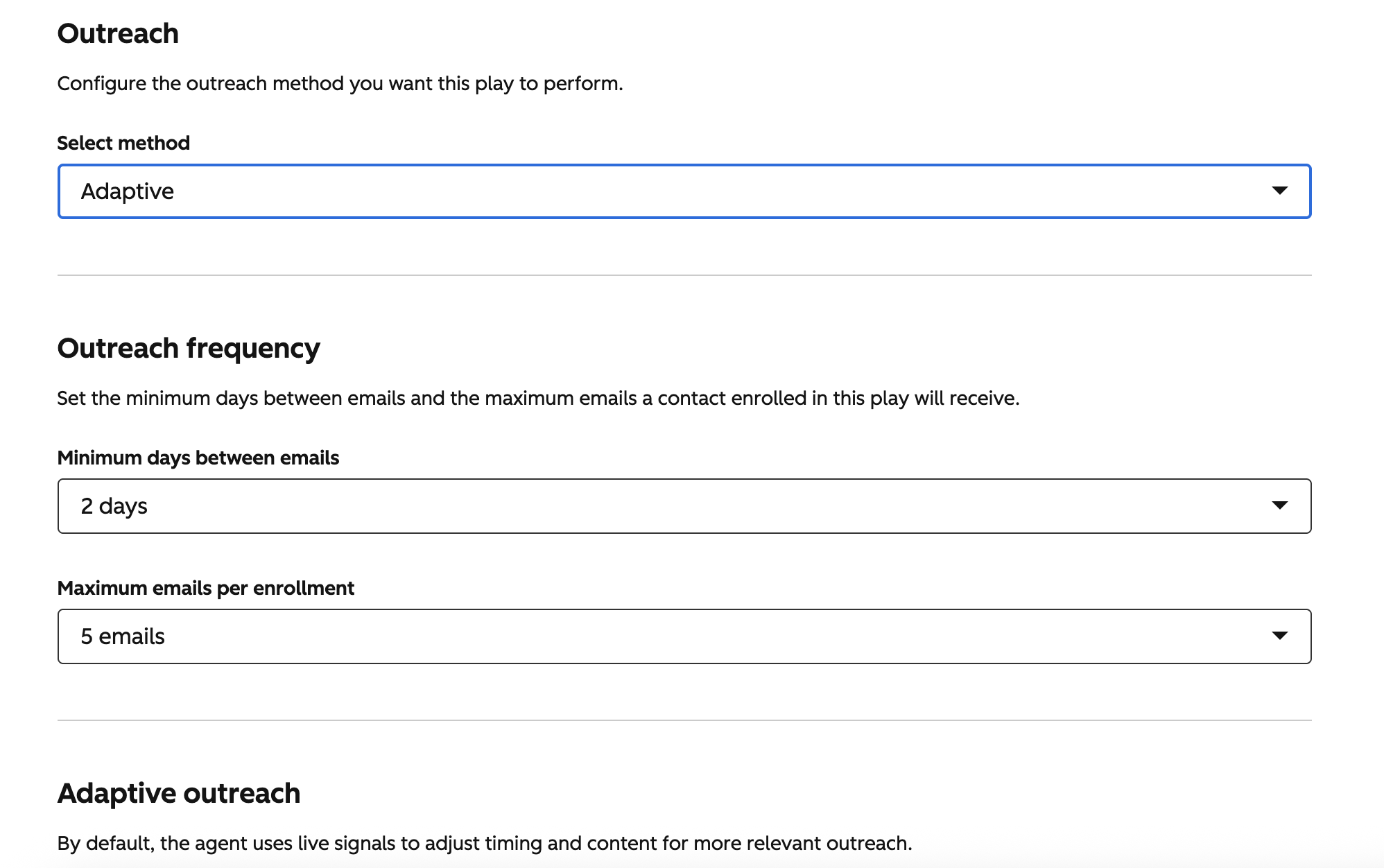
- Adaptive – Uses live signals to automatically adjust the timing and content of outreach based on prospect engagement and activity.
If you choose Sequence, you can fully customize the outreach flow by adding emails and tasks, changing the order of steps, and adjusting delays between them.
If you choose Adaptive, Prospecting Agent automatically manages the outreach sequence. It uses live signals to adjust email timing and content while following the outreach limits you define. You can also provide additional instructions to guide how the agent writes emails.
Step 4. Configure the Guardrails
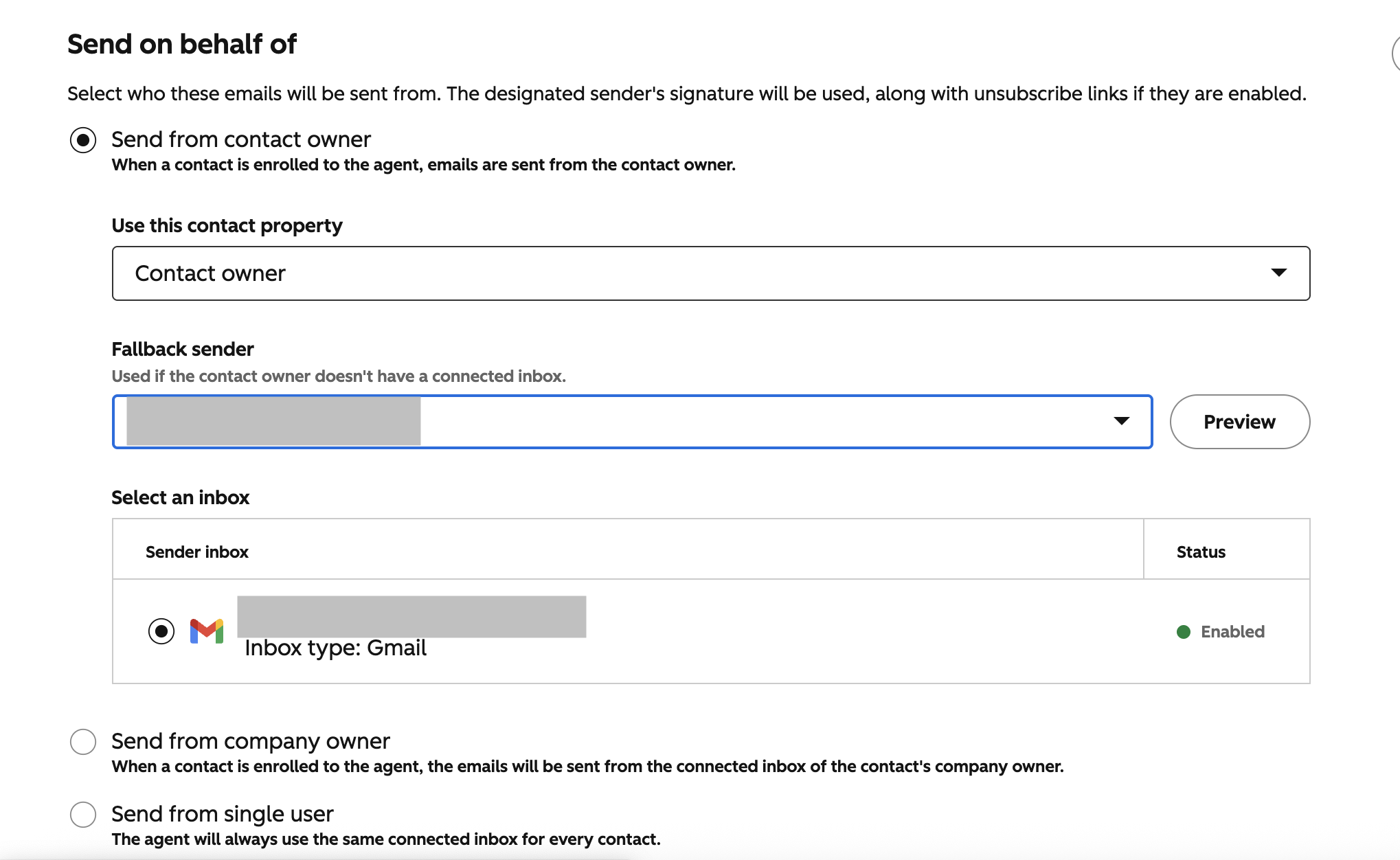
Configure how Prospecting Agent should send emails on your behalf.
First, choose who the emails should be sent from. You can send emails from the contact owner, the company owner, or a single user. If the selected sender doesn't have a connected inbox, you can also configure a fallback sender.
Next, choose how the agent should communicate with your prospects. You can select a preset tone or use your company's brand voice.
You can also configure additional sending preferences, including:
- Enable multi-language outreach.
- Limit emails to business days only.
- Set a preferred email send window.
- Choose a default time zone for contacts without one.
Step 5. Configure Automation
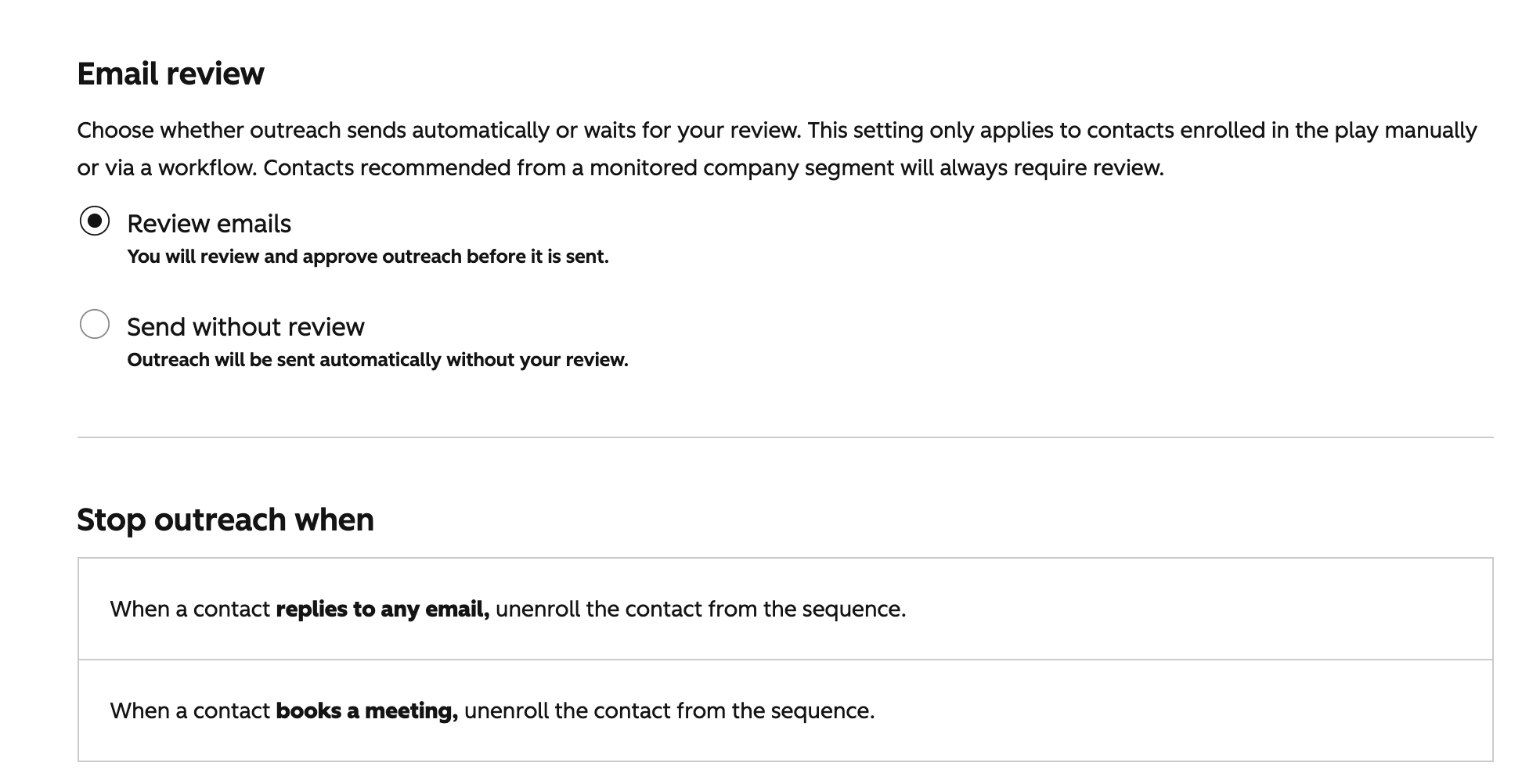
Choose whether Prospecting Agent should send emails automatically or wait for your approval before each email is sent.
Once you've finished configuring the automation settings, click Review and turn on to activate your play.
How Contacts Are Added to Prospecting Agent
You can enroll contacts and companies into a Play in three ways: through Prospecting Agent recommendations, manually, or automatically using automation rules or HubSpot Workflows.
Contact Sourcing
If you enabled Source contacts for me when configuring the Play, Prospecting Agent analyzes your selected Company Segments and Buying Signals to recommend companies for enrollment. You can review these recommendations in the Enrollments section under the Recommended tab, where you'll also find suggested contacts that match your target personas. From there, you can select a Play and start outreach. It can find contacts in your HubSpot CRM or through connected data sources and suggest up to the monthly limit you configured.
Manual Enrollment
Open the play you want to use and click Enroll in the top-right corner. Choose whether you want to enroll contacts or companies.
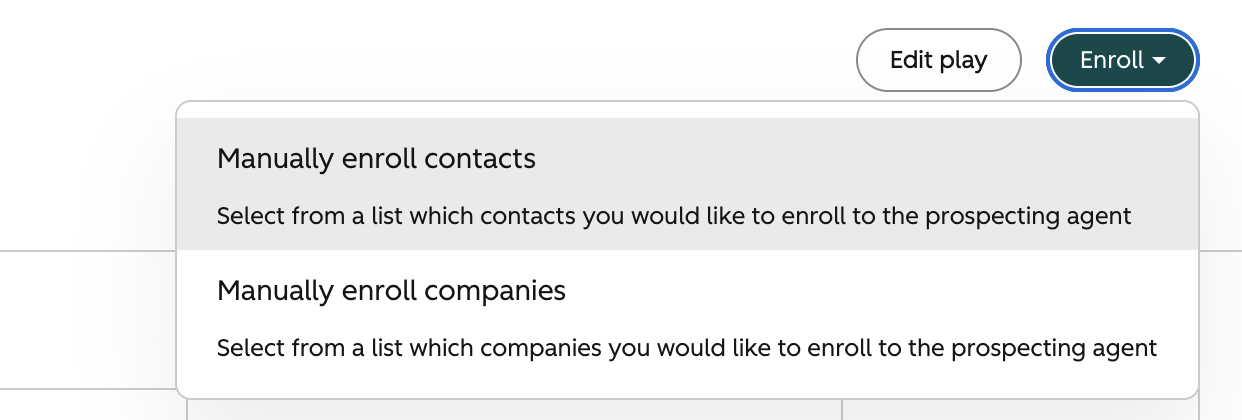
If you select Manually enroll contacts, choose up to 25 eligible contacts from the list, then click Next.
Review the play and guardrail settings, including the sender, review settings, tone, send window, and unenrollment rules.
When everything looks correct, click Start enrolling.
Automatic Enrollment
Prospecting Agent also lets you enroll contacts automatically. You can either use the built-in automations available in Prospecting Agent or create your own HubSpot workflow.
Built-in Automations
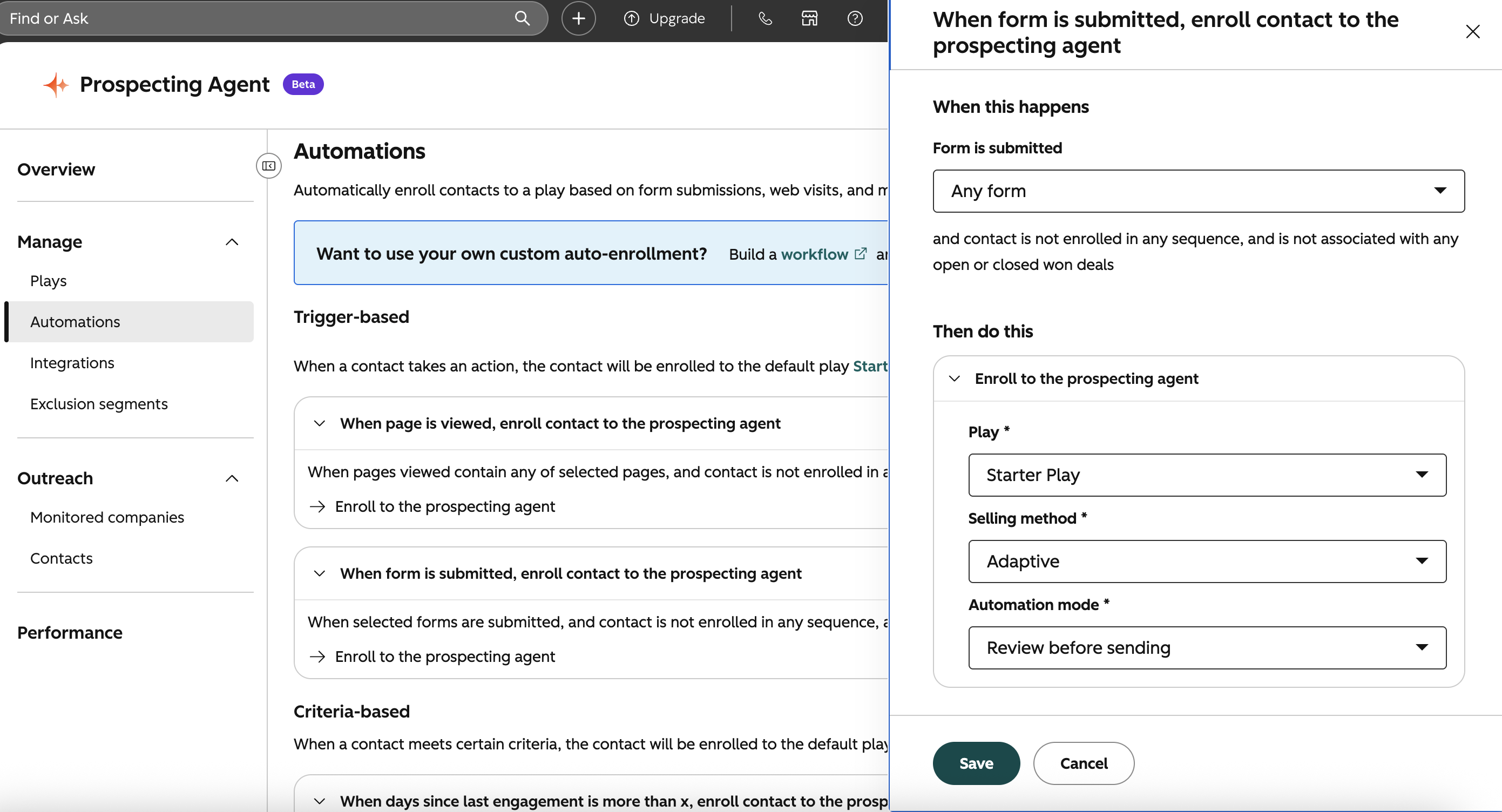
To configure one of the built-in automations, go to Prospecting Agent → Automations.
HubSpot includes several pre-built enrollment triggers, including:
- Page view
- Form submission
- Days since last engagement
- Added to a list
Open the automation you want to use, click Edit, and choose:
- the play contacts should be enrolled in;
- the selling method (Sequence or Adaptive);
- the automation mode (Review before sending or Send without review).
Once you've finished configuring the automation, click Save.
Use "Enroll in Prospecting Agent" action in Workflows
As I said earlier, you can automate triggers when you want to enroll contacts via Enroll in prospecting agent action in Workflows. Of course, you can decide which contacts you want to trigger automatically and whom you don't want to send AI message.
In some scenarios you shoudn't use AI agents to avoid confusion
We recommend avoid sending AI messages to the Contacts with whom your sales reps have warm relationship or direct communications at this very moment to avoid confusions. To do this, you may use a property "Lead Status" as a trigger only those contacts with specific statuses only. For instance, Agent may ignore those contacts if a Lead Status is any of "In Progress".
Conclusion
Prospecting Agent can save your sales team time by automating research and outreach, but the quality of the results depends on how well it's configured. A well-defined play, accurate CRM data, and regular reviews of the generated outreach will help you get the most value from the agent.
Regularly review your results, test different settings, and refine your Play to find what works best for your team.
Read more and check if your company requires Prospecting Agent